

React to a video
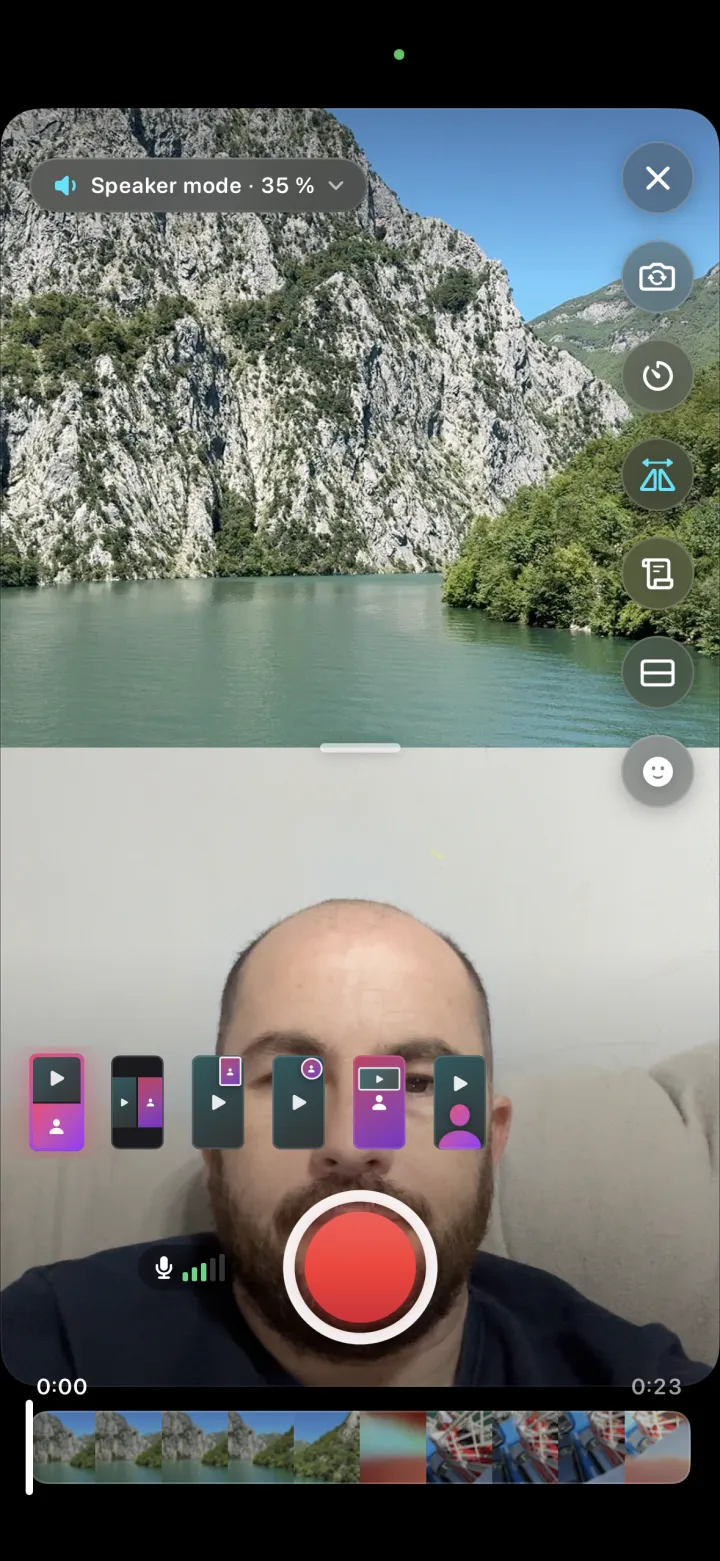
A video plays while you record your reaction next to it. Pause, resume and retake — the sound stays in sync.
Duovid plays a video while you record your reaction next to it — or films just you, or edits the clips you already have. Face effects, green screen, layers, captions in 100 languages and clean sound, all on your phone.
Your videos stay on your phone. Exports in 720p, 1080p or 4K.
Everything you need to film, edit and post a vertical video, without a subscription.
Six ways to put your reaction next to the video, switchable any time.
02Your background is cut out live. No green wall needed.
03Masks, hairstyles and face shapes that follow your face.
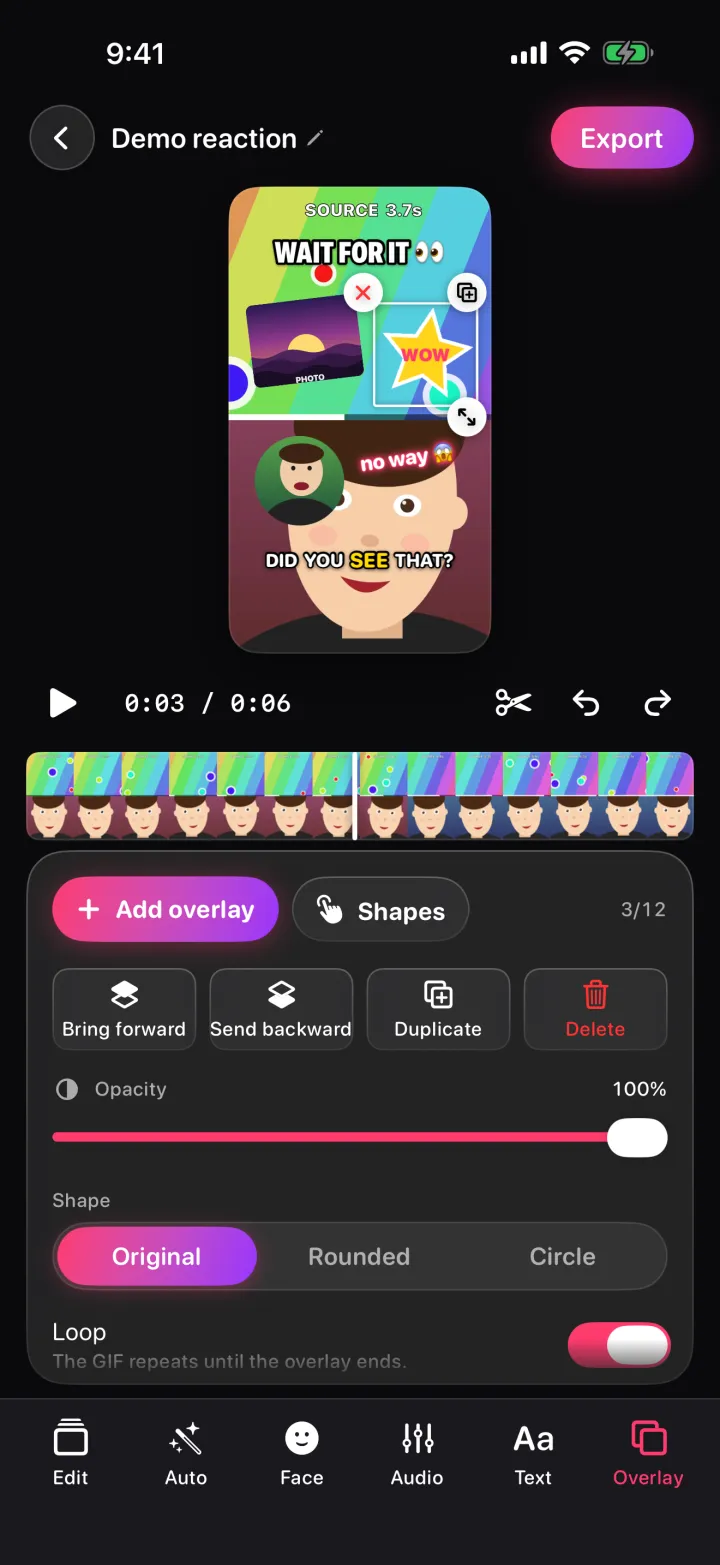
04Stack up to 12 photos, videos and GIFs on top of your video.
05Search GIPHY right in the editor and drop them on your video.
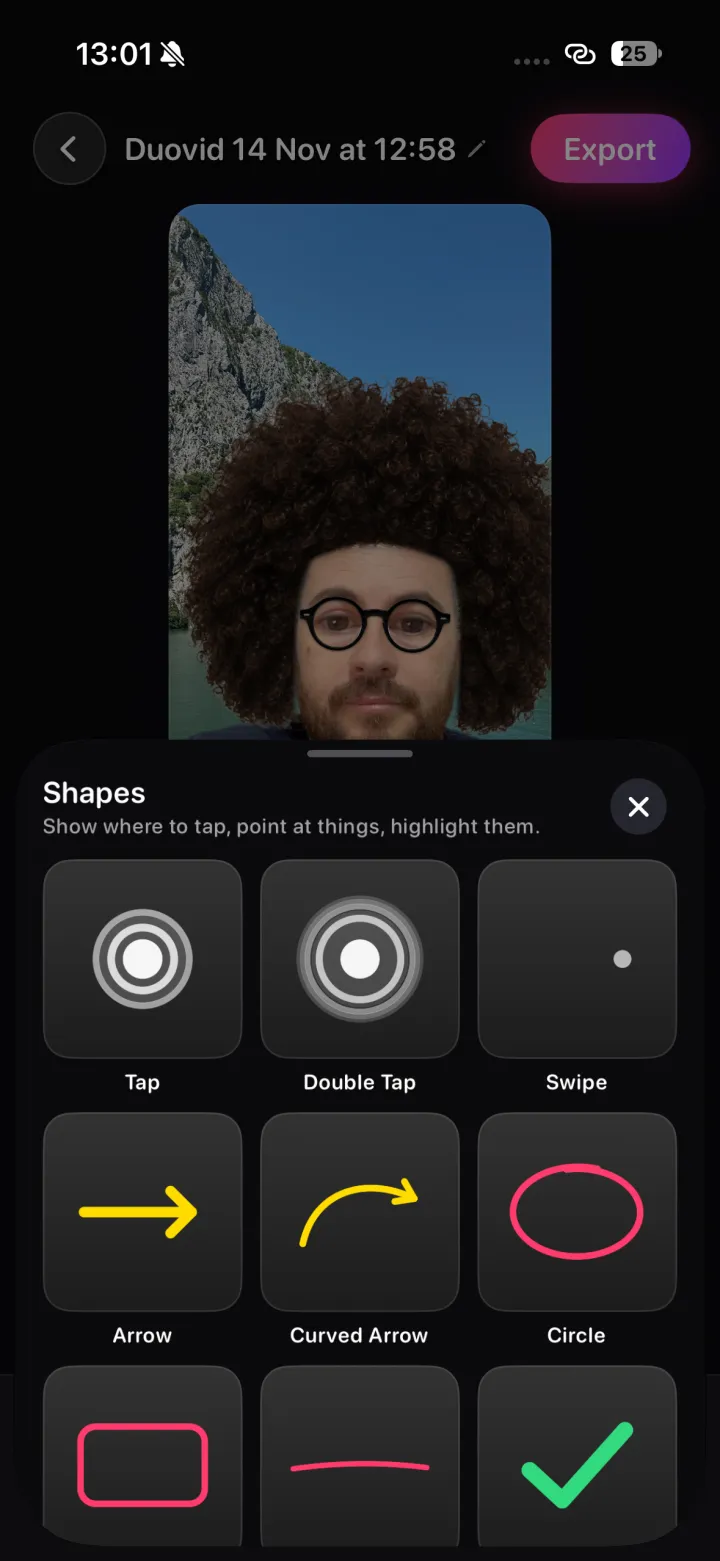
06Taps, arrows, circles and checks for tutorials and how-tos.
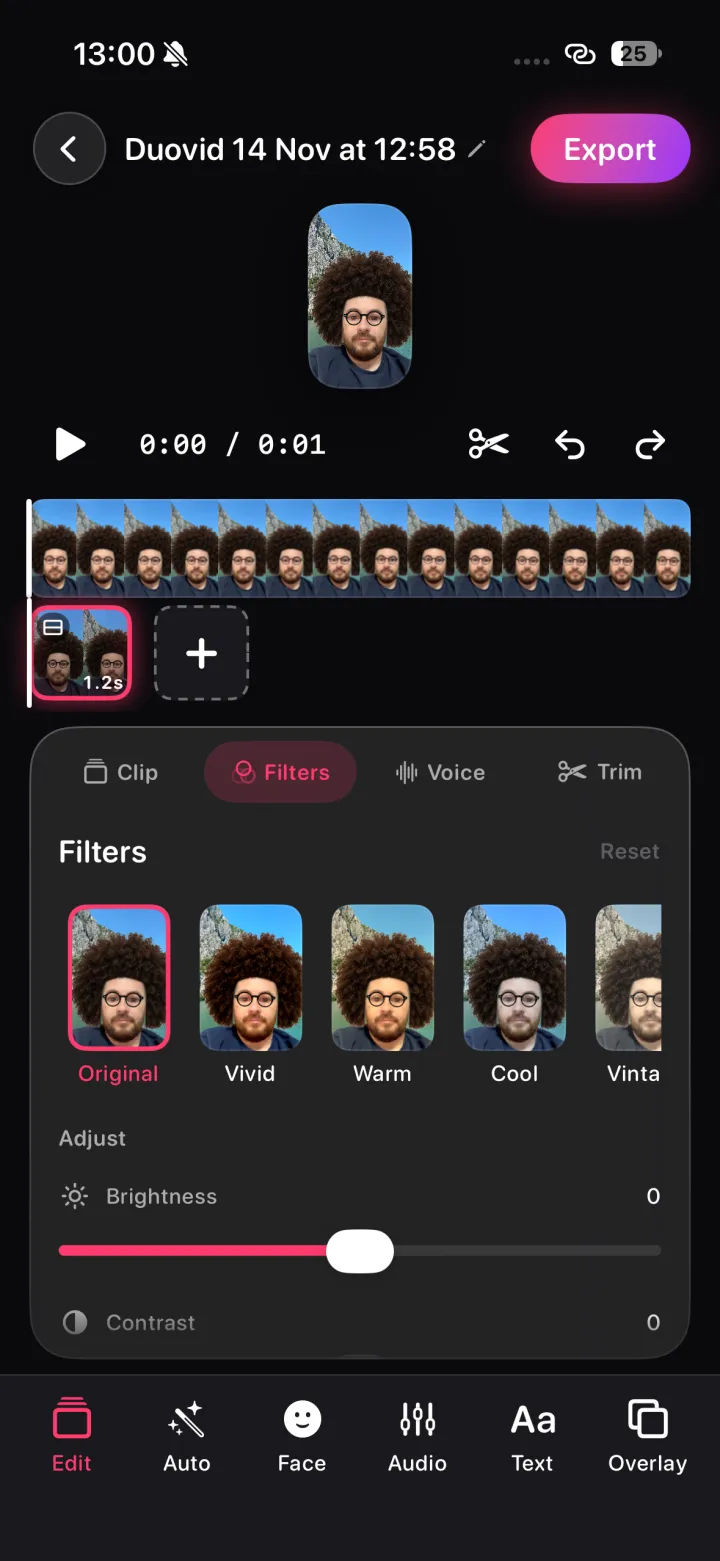
07Nine looks plus brightness, contrast, saturation and warmth.
08Slow motion to 0.25×, fast-forward to 3×, fades between clips.
09Split, trim, duplicate, reorder and reposition, with full undo.
10Read your script right under the camera and keep eye contact.
11Fonts, outline, box and neon styles you can drag, pinch and rotate.
12AI removes background noise from your voice, on your phone.
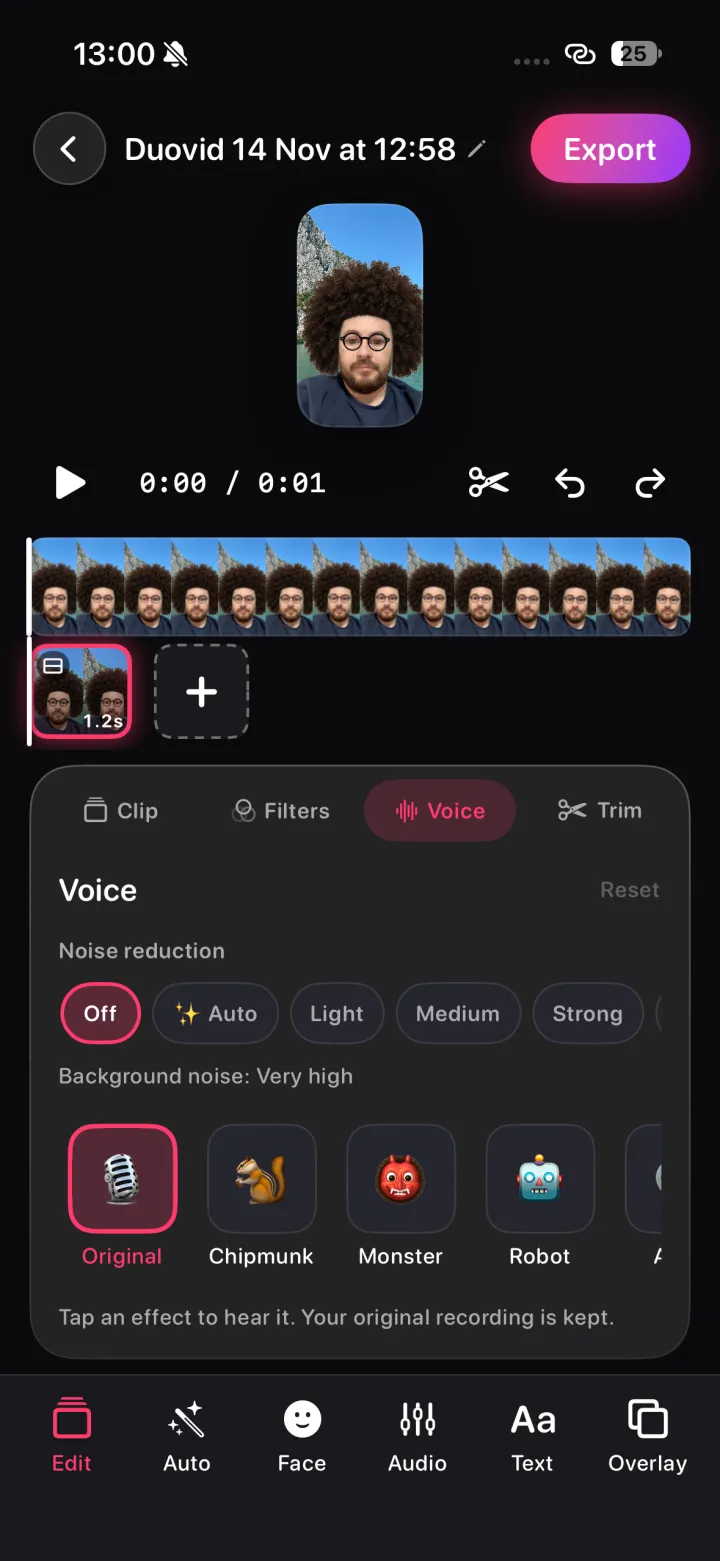
13Chipmunk, Monster, Robot, Alien, Echo and Radio.
14Add songs, borrow a video's sound or narrate on top.
15Captions in 100 languages, Albanian included, made on-device.
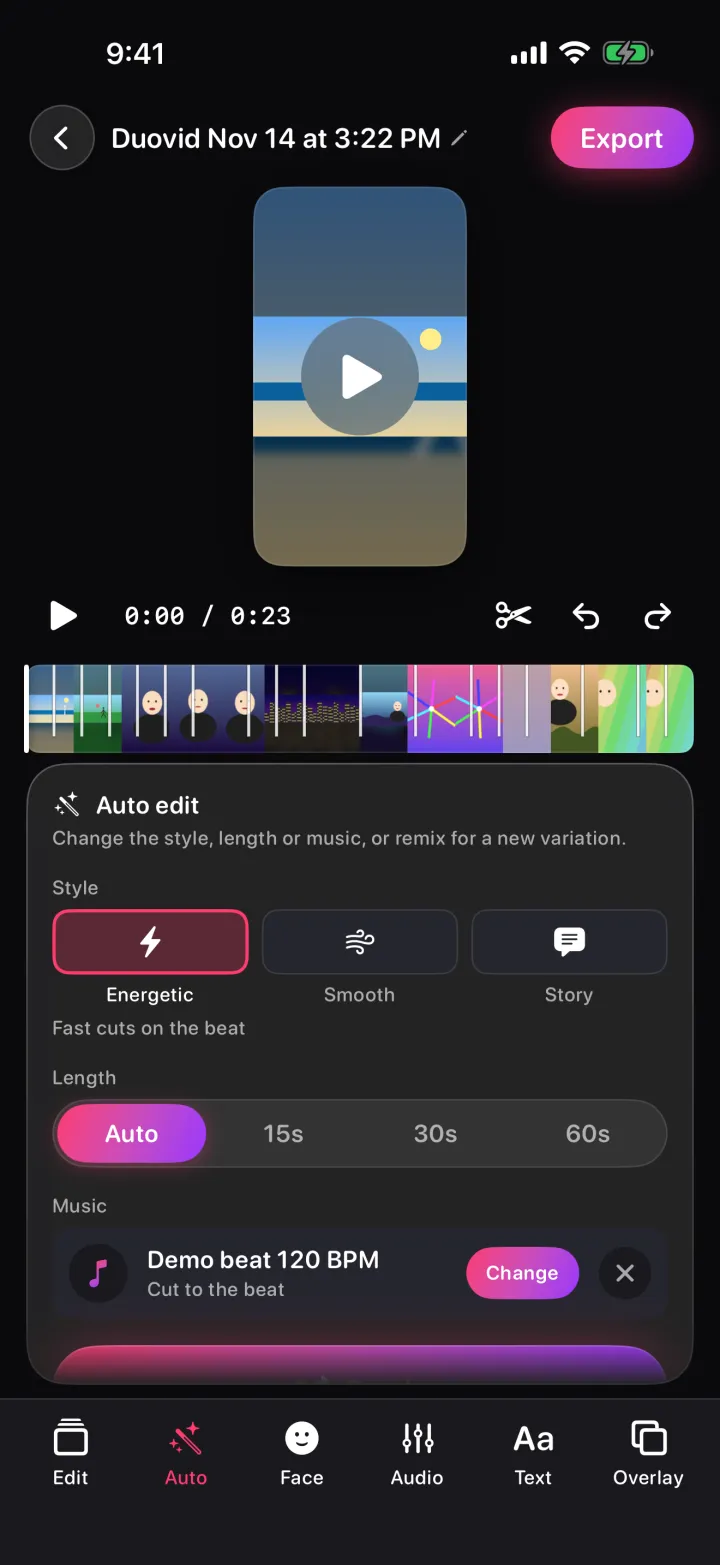
16Duovid picks the best moments and cuts them to the music.
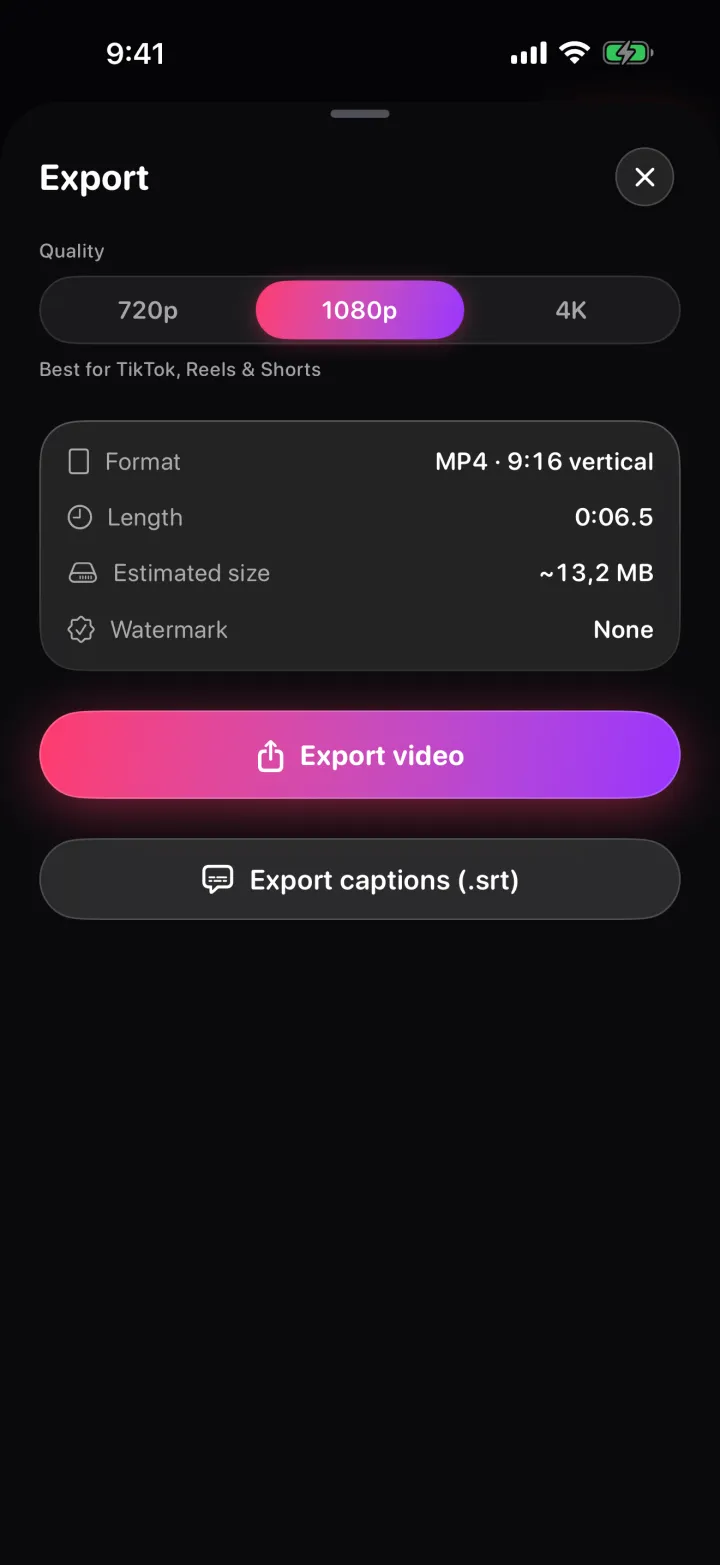
17Export in 720p, 1080p or 4K. Never a watermark.
18Save your captions as a separate file for any platform.
Pick a mode — and mix it up later. Selfie, duo, photo and video clips can go into the same project in any order.
A video plays while you record your reaction next to it. Pause, resume and retake — the sound stays in sync.
Just you and the camera — full screen, rounded, circle or green screen, with the teleprompter if you need it.
No camera needed. Add text, captions, layers and music to the videos and photos you already have.
Pick up to 50 videos and photos. Duovid finds the best moments and cuts them to the music.
The video plays while the front camera films you. Choose how the two sit together — before you record, while you record or afterwards in the editor.
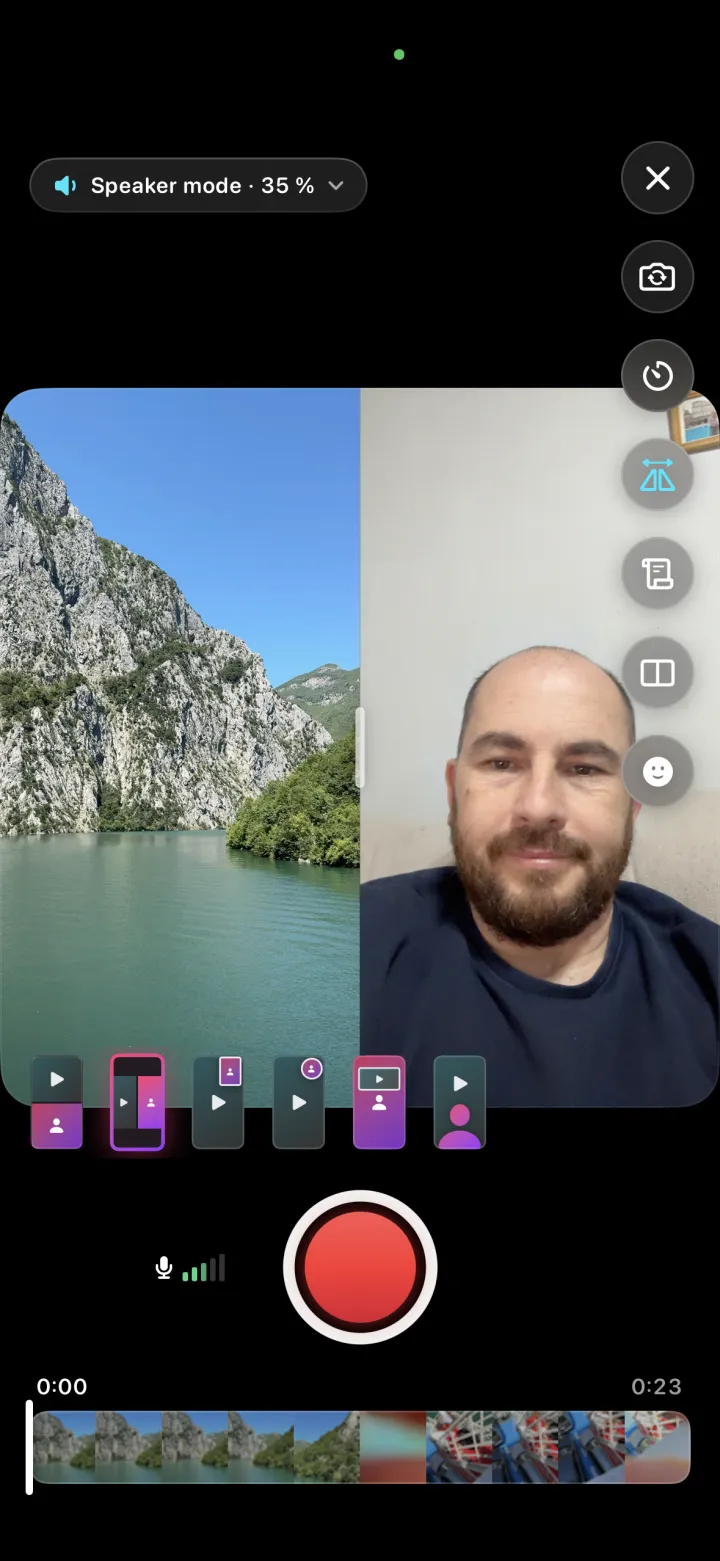
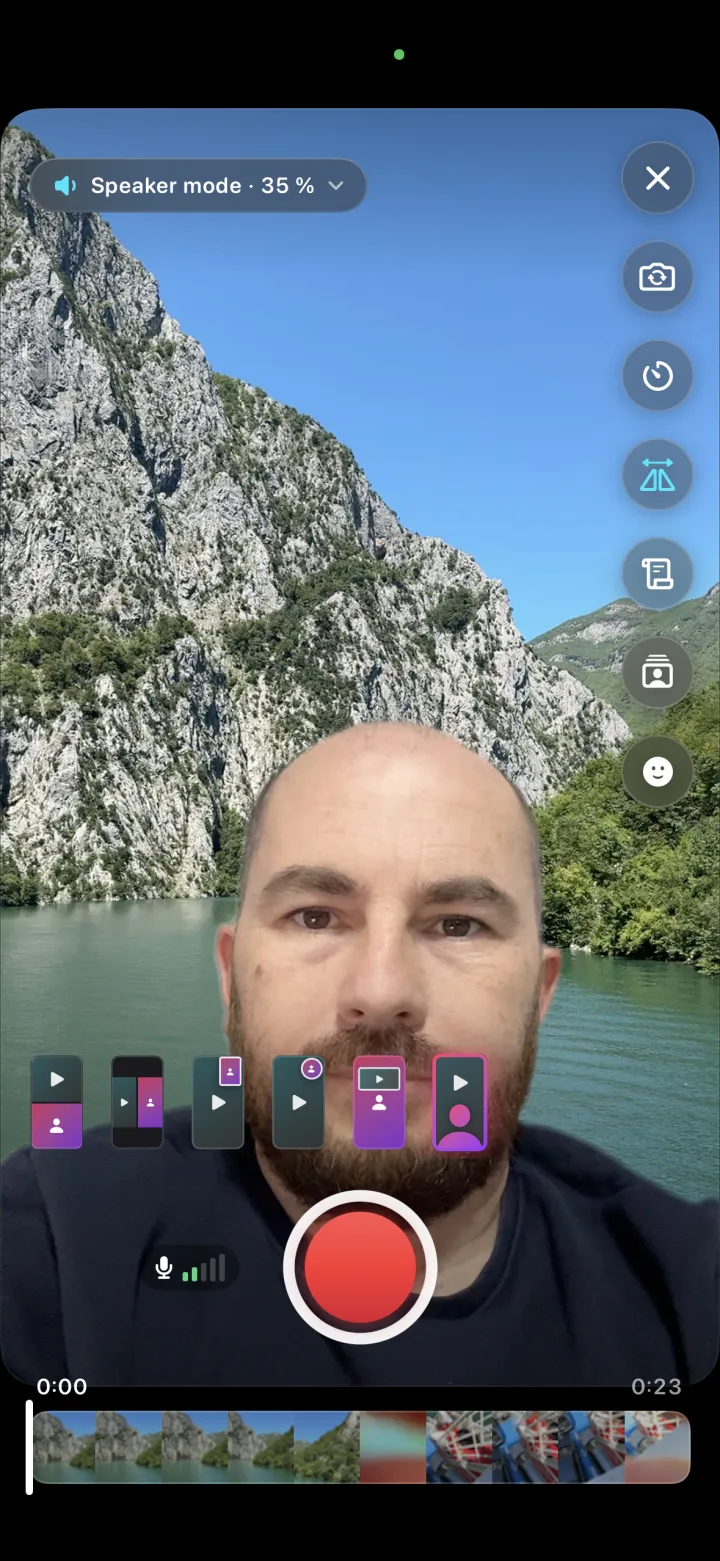
Your background is cut out live while you record, so you stand right in front of the video. No green wall, no cloth, no studio — made for selfies.
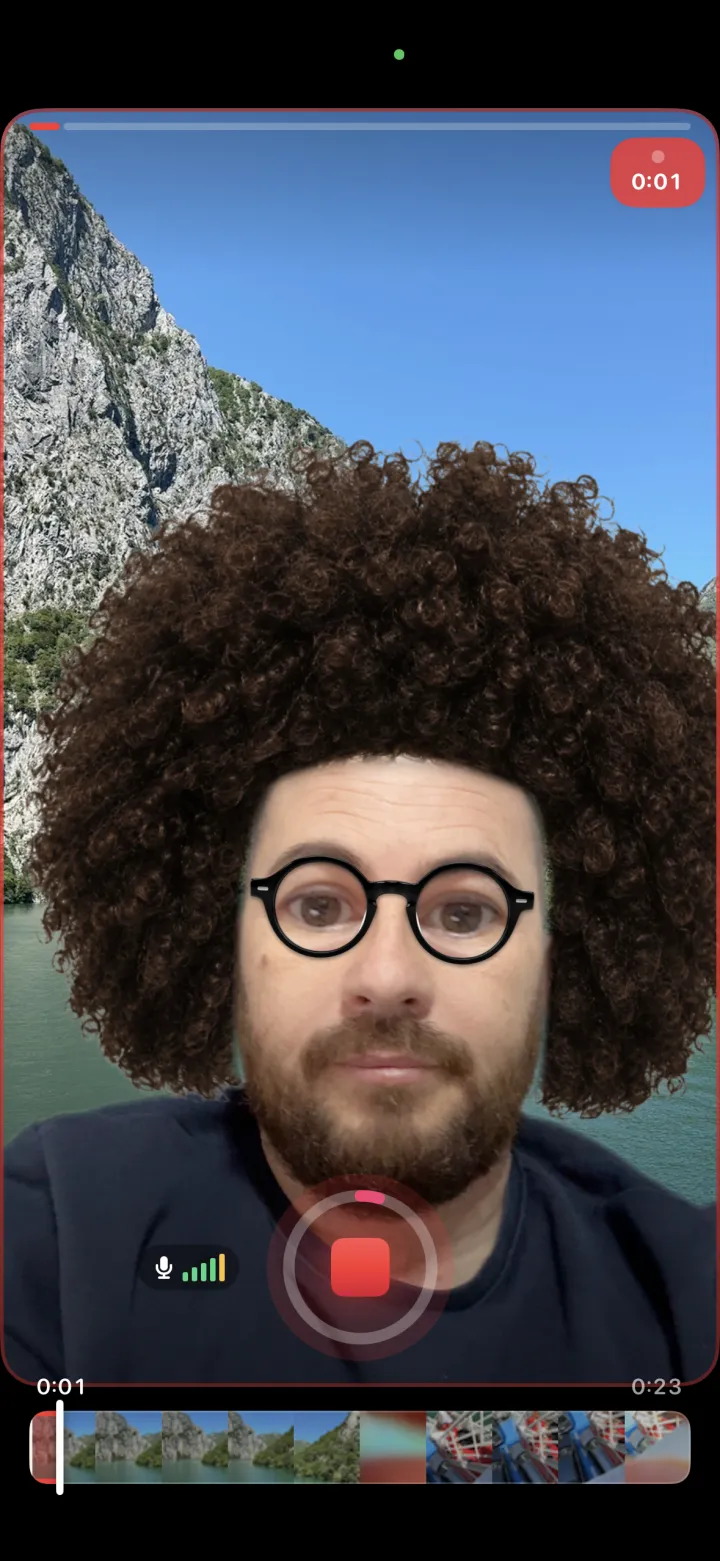
Masks and stickers that follow your face — live while you record, or added later in the editor. Your original take is always kept, so you can change your mind.
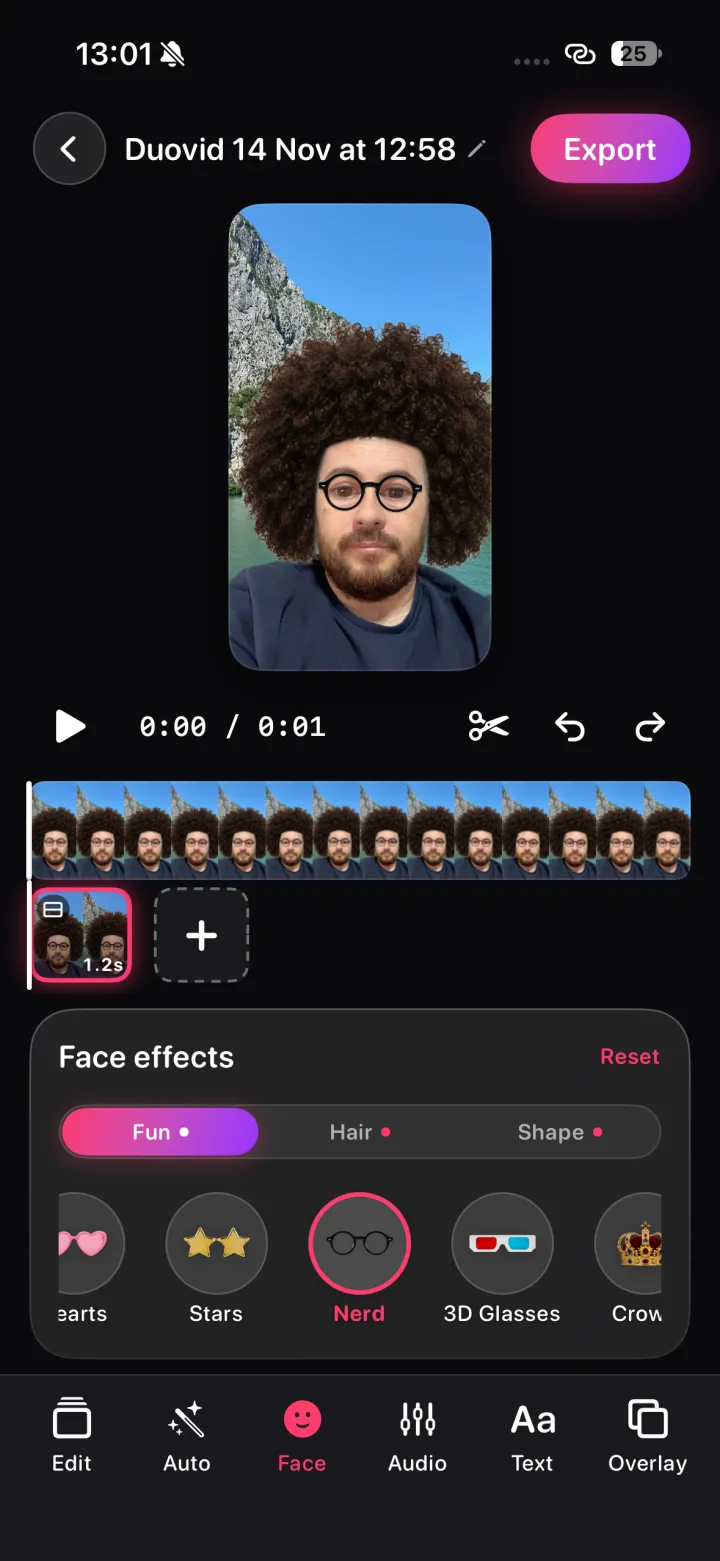
Put photos, videos and GIFs over your video as layers. Drag, pinch and rotate them, choose when each one shows, and set their order and opacity.
Give every clip its own look, or apply one to all clips at once. Tap a filter, then fine-tune it.
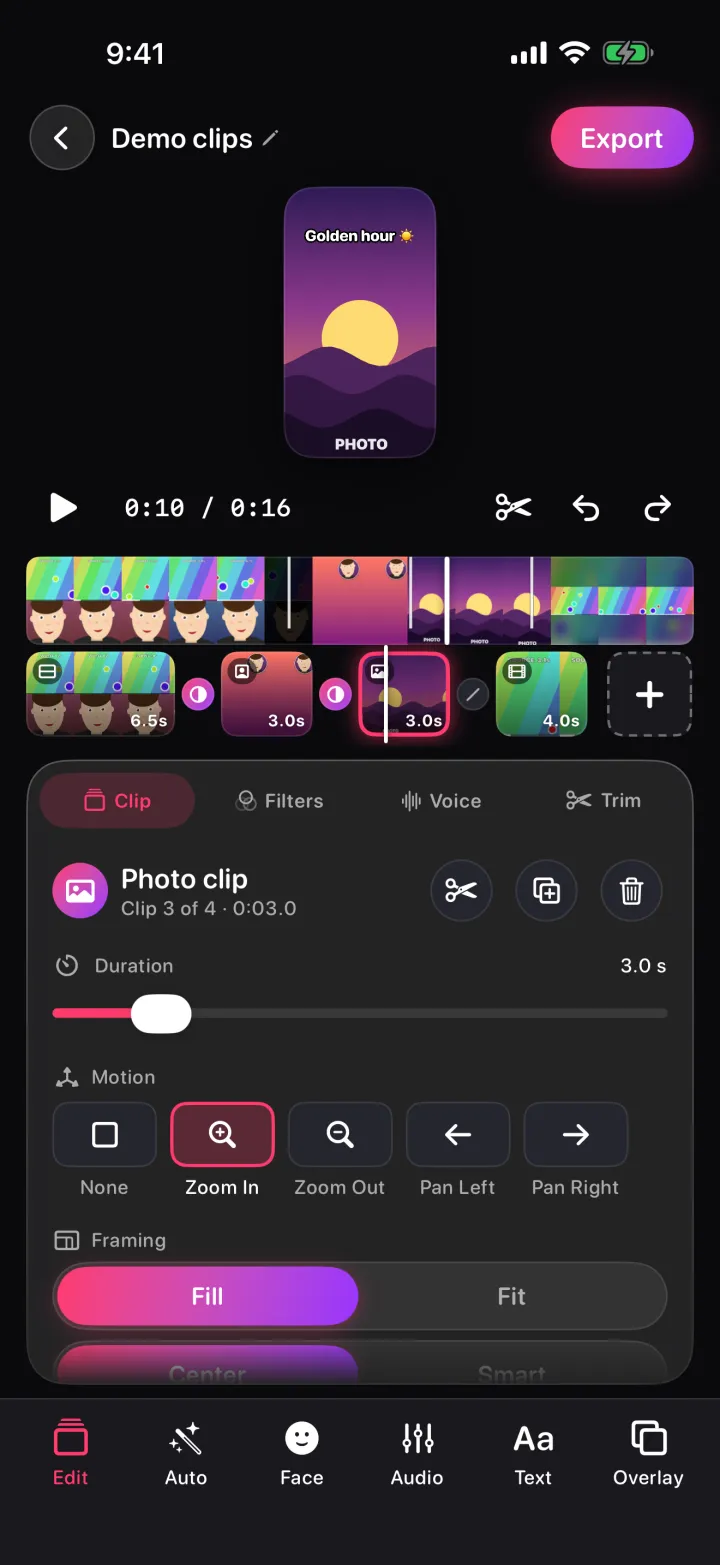
Line up selfie, reaction, photo and video clips. Split, trim, duplicate and reorder them, change the layout after recording and undo anything. What you see in the preview is exactly what you export.
The prompter sits right under the front camera, so you look into the lens while you read. Write or paste scripts and keep a library of them.
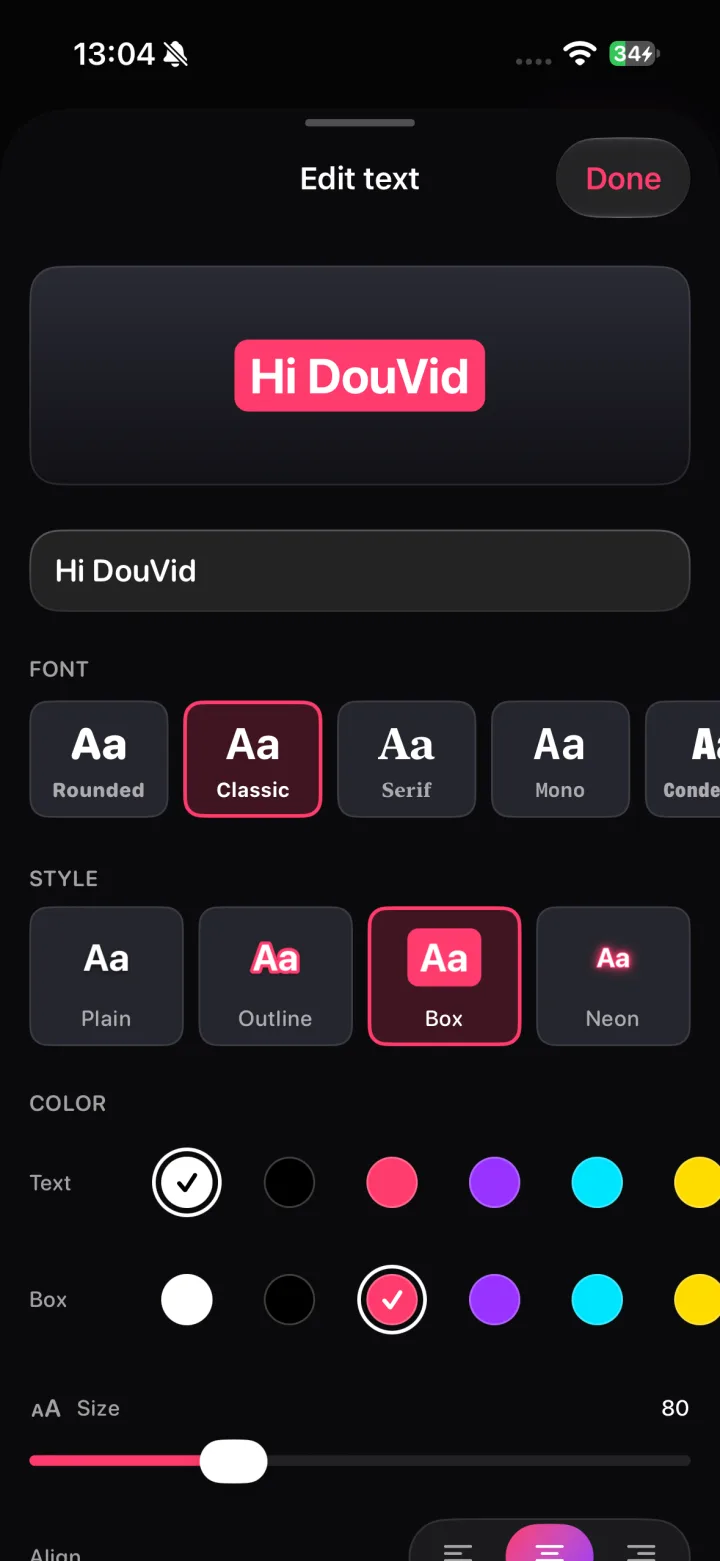
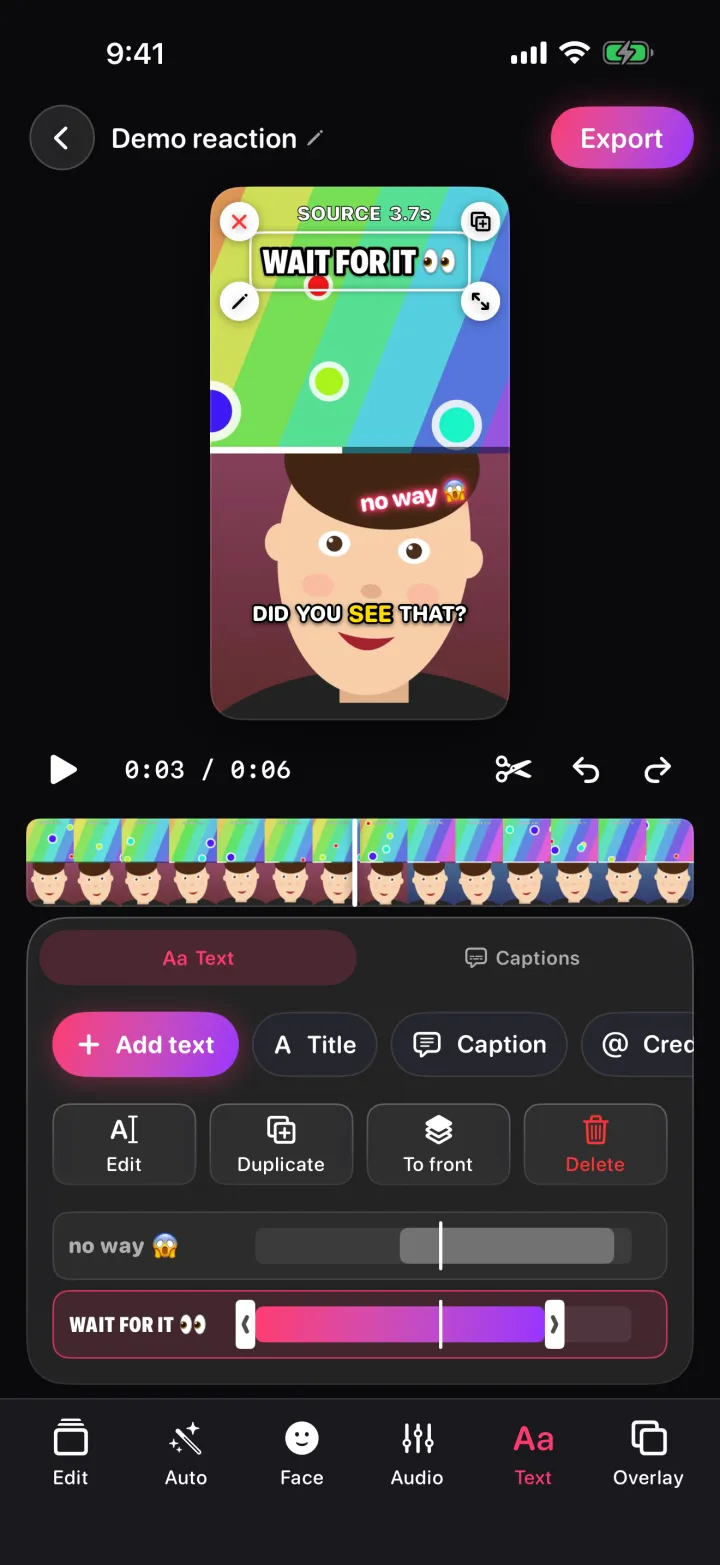
Add titles, labels and credits. Drag, pinch and rotate them right on the video, animate them in, and choose when each one appears on the timeline.
A built-in AI noise remover cleans traffic, wind, fans and hum out of your voice — right on your phone. Duovid even tells you when a clip sounds noisy.
Duovid listens to your voice and writes the captions for you — on your phone, not in the cloud. Fix any word, choose a style, and your captions are ready.
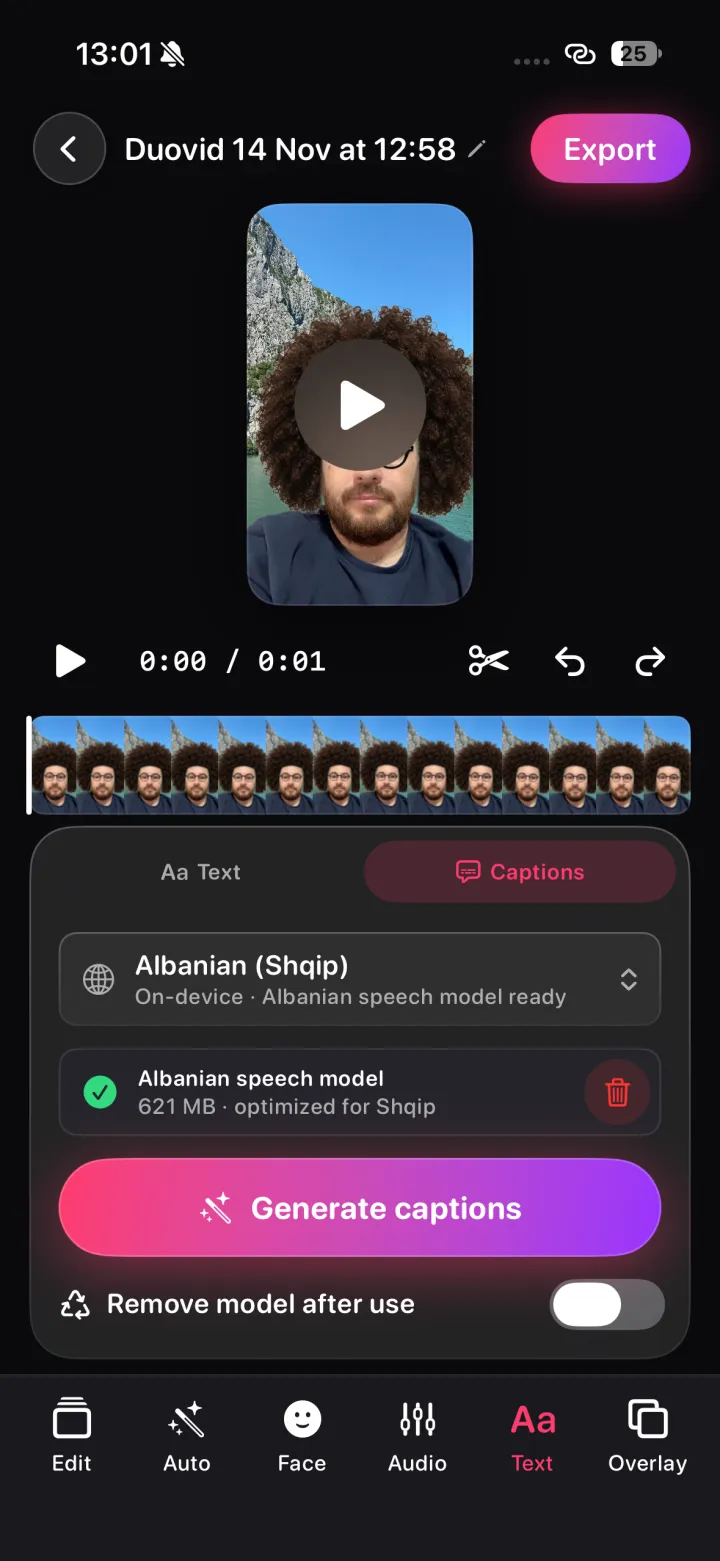
Pick your videos and photos and a song. Duovid looks for faces, sharp shots and the beat, then puts a finished edit together, right on your phone. Every clip stays editable.
Export in 720p, 1080p or 4K and save to your gallery or share straight to TikTok, Reels, Shorts or any app. No logo is ever stamped on your video.
Stop mid-reaction and carry on where you left off — or redo the last take.
Mix photos with your videos, with a slow zoom or pan and the duration you want.
The same features on every device, from a small iPhone SE to an iPad Pro.
No subscription, no account, no ads, no trackers, no watermark. Recording, editing, effects, captions and export all happen on your device, and work offline. The only optional downloads are a speech model for some caption languages and GIFs you search on GIPHY.

Free on iPhone, iPad and Android. Made by Gremza.